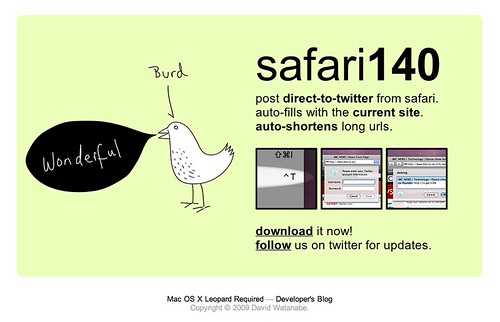
 Safari140 – a Twitter extension for Safari
- February 14th, 2009 12:33 am
24 comments...

This was simply amazing. Wonderfully executed. Simple and funtional, I’m loving it.

This is very handy. Works great! Thank you!

Burd is the word!

Awesome – you continue to amaze. What a brilliant idea, and works really well. Shame it’s only for Leopard; any plans for a tiger version?

A really nice Safari add-on. I find it quite useful. Thanks for the amazing apps!

Nice work, but doesn’t appear to handle ampersands very well :)

It’d have been great if you used Tumblr, because then you would’ve made something this cool for that service, and driven me instantly back to Safari. But I understand you probably don’t work on things you wouldn’t use yourself.
Great stuff anyways, even if only for Safari users.
Great idea – any plans for a Tiger version?

Nah, no plans for Tiger. I prefer to look forward instead of backward. ;)

This is fantastic – I love the simplicity.
I’m really fond of your latest stuff – nice and simple has always been your style. Both Inquisitor and Burd Safari140 make me love Safari for its simplicity and few but high quality plugins.
Keep up the great work – I know I’ll be using this command nearly as much as cmd + T!!

I’d really suggest at renaming it to ‘Burd’ or something.
I don’t understand the name…

Is there any way to change your login info for twitter? Love the plugin btw. Posted on SA http://tr.im/gbty
There’s no exposed interface to change login username at this time, after the initial setup. To do so, you’ll need to go to the Terminal and type “defaults delete com.apple.safari kXtTwitterUsername”. If there’s a password change (or failure to login) then Safari140 will simply reprompt you for your credentials.
Now it’s clear that at some point there will need to be a preferences dialog to accommodate this and other options, so this issue will resolve itself then.

Loving this. Will definitely be using it all the time. Thank you!

Very simple and powerful. Another awesome idea!

This rocks! Only two request right now is to be able to use bit.ly in addition to is.gd. But even without it, this makes posting to twitter super-fast and easy.

Haven’t even downloaded this but excited about doing so, woo hoo.
* I would consider using a shorter service than tinyurl – tr.im is very good and is.dg(I think) is good too.
Nice work. (Inquisitor is great too!).
Now all you need to do is provide a free minimal WP theme and you’d be my new superhero!
Regards,
R!

Hi,
I would like to see an option to turn off the auto-fill of the current site. So it would be possible to use this as a normal twitter-update client.

Hey DW,
Nice feature – love to use it but the ^T shortcut doesn’t work for me.
I’m on an iMac Intel with a Danish keyboard.
Do you know what could be wrong?
Best
Joa

Thanks for the plugin. Will use along side or Flock plugin

Simple and to the point.
No filler, though I was expecting that little twitter icon in the bottom left corner to be a button for something.

Does this work with the Safari 4 [beta]?

a.fruit: It does for me.
Super! I won’t replace Twitterrific with Safari140, but for quick website linking it’s a great extension. The auto TinyURL-ing saves me a lot of time (and yes, I know some other apps already do this, but I love Twitterrific). Will have to get used to the shortcut, but overall great!