xtorrent
best torrent app ever
newsfire
the news starts here

Xtorrent 1.1 Beta 1

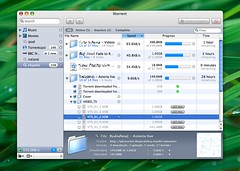
Xtorrent 1.1 previewToday I’m very pleased to announce the that next major iteration in the Xtorrent is available for beta testing. Xtorrent 1.1 brings a number of oft-requested features like individual file selection, file prioritization, individual file completion status, and improved privacy options. Enabling these new capabilities is a newly refreshed user interface for managing downloads that more thoughtfully displays relevant information to the user.

Version 1.1 represents a new phase in the Xtorrent saga, and with many exciting features planned for the future I am looking forward to making Xtorrent into the preeminent torrent client on the Mac. I hope you enjoy it!

Please note, this release is considered beta software and issues may exist.

  • August 1st, 2007 11:03 pm

42 comments...

dwblog...

;"> ...

Looks good here, very good! Thanks Dave.


dwblog...

;"> ...

Thanks, Dave. The new functionality and interface enhancements look very appealing.

One quick question: Will replacing the application with the new beta interrupt the current transfers>


dwblog...

;"> ...

Love it. Especially like the new “get file” functionality. Keep up the great work.


dwblog...

;"> ...

Hell, YEAH Dave! Now I can remove sh.tty Azureus :)

Thanks


dwblog...

;"> ...

If you’re upgrading from v44 or higher, transfers should migrate fine. If you’re upgrading from earlier, I’d suggest caution.


dwblog...

;"> ...

Looks great! Individual file stuff is fantastic! Will be great for music!


dwblog...

;"> ...

This beta seems to fix the major memory leak in v45 too…so very nice indeed. I love this app and recommend it to all my friends.


dwblog...

;"> ...

It has been awhile since I fired up Xtorrent since I have been compiling transmission from svn daily. Looking forward to the new features! Thanks for the great torrent client and keep up the great work. :)


dwblog...

;"> ...

how does it protect user as far as privacy goes.
i got a letter from my ISP few months ago about an episode I downloaded from torrent using transmission.
it was from HBO and i haven’t download anything since then.
does it have proxy built in?


dwblog...

;"> ...

Dave,

The improvements are welcome but as a registered user I’d like tu know if you are able to make XTorrent as fast as UTorrent for downloads.

Thanks a lot,
Hélio Sassen Paz
Porto Alegre/RS – Brazil


dwblog...

;"> ...

thanks David,

I think your already the best Mac BitTorretn client out there… and even on windows..

looking fwd. to testing this out…


dwblog...

;"> ...

The addition of individual file selection makes me very happy. Thanks a lot!


dwblog...

;"> ...

Looks good David, been looking forward to the next version. I’ll try this out today.


dwblog...

;"> ...

Thanks, Dave! The new functionality looks outstanding so far.


dwblog...

;"> ...

/excited


dwblog...

;"> ...

You are just about the only person I would ever trust to make this app right.

I just “get it”. I bought this thing the second it was available to buy.

Thanks!


dwblog...

;"> ...

Hi Dave
I really like the individual file selection.
And this may sound stupid, because I haven’t kept track of the changes and functionality of this program, so I don’t know if this already the case, but wouldn’t it be nice to have DHT network support in Xtorrent?

thanks again,
this is the only mac torrent client for me.


dwblog...

;"> ...

I’m testing it out right now, and the new features are awesome! I haven’t requested them personally only because I always assumed it was impossible to download and prioritize individual files within a torrent.

Few requests:
– Change “Get File” to “Get Folder” or “Get Files” if the button enables an entire folder
– Individual file progress bars
– Display folder’s contents’ total filesize & progress (at least if the folder is collapsed)


dwblog...

;"> ...

Hi Dave,

Love this app, bought this app and love the new beta. But just wondering my ISP has peak and off-peak quotas on my plan. Any chance of a speed limit mode like transmission? With user customisable times and a handy button to toggle these modes at a whim. For me that would be the icing on the cake.

Thanks

John


dwblog...

;"> ...

Found a bug. Started downloading a 6GB file yesterday; when over 1GB had downloaded I asked xtorrent to “Remove” it, it did and I emptied the trash. Today I decided to start it again and xtorrent immediately believes it has downloaded 1.3GB of the file (where I originally left off) but I’ve removed it a couple of times and get the same problem. I’ve checked the incomplete folder and it is being removed but still xtorrent thinks it’s already got over a gig of the file……


dwblog...

;"> ...

thanks Dave


dwblog...

;"> ...

Great work! Been dying for individual file selection and file prioritization! Very happy camper :)

By far the best Torrent client on the Mac!


dwblog...

;"> ...

Thanks so much, Dave. Glad to see such great progress, and to have these new features in a simple point release certainly bodes well in terms of the value of a license good through v.2.0.

I still would like to be able to ‘pop out’ the completion grid into a separate, floating window (or dashboard widget)! It’s such a beautiful and unique visualization tool, I feel that you should capitalize on it.


dwblog...

;"> ...

Very nice work Dave! I did notice however that when I downloaded a file with the beta, when it completed, it paused. I tried to resume it and it would continue to pause. Then I tried looking for the file in my downloads folder and it has mysteriously vanished from my hard drive. It could be because of my setting to “Never seed .torrents”. Otherwise I love the improvements! Keep up the good work!


dwblog...

;"> ...

hello, dave i try to contact to you and is improsible. i have aproblem. in Panama , the country i live haven´t paypal. how i can do for purchase a lisence.

thank

i hope you write to me

bernardo


dwblog...

;"> ...

Excellent update. I’m glad to see you were able to add what I would imagine to be the most requested feature of any torrent client.

I am however running into a bug. When I quit Xtorrent, the client deletes my downloads from the desktop or wherever and removes them from the download queue. I also can’t remove a torrent download from the queue without deleting the completed download as well.


dwblog...

;"> ...

the interface roxx! keep up the good work!


dwblog...

;"> ...

Thanks, great update.

If you add an option to create a .torrent file i’m sold.
Wait! I already bought it! Loving it.


dwblog...

;"> ...

Xtorrent keeps getting better and better. Money well spent.

Any chance of an option to change the announce interval?


dwblog...

;"> ...

The one download I did so far did not quit properly- it paused, but did not indicate completion, and could not be tricked into indicating it. The download did exist, did separate out of the Incomplete folder, but did not ‘complete’- with the result that it deleted when the download was removed from XTorrent. (I backed it up first, expecting this.)


dwblog...

;"> ...

Great going…
Finally individual file selection…very nice and efficient implementation…

Another thing that would be great would some kind of queueing mechanism like azureus…say only 2 downloads can run at the same time while the remaining are in queue so that when one of them finishes, the other one starts up.

Regards,
DC


dwblog...

;"> ...

today i´m having problems downloading anything, the connection starts and stop continuously and the spedd is too slow. can u help me?


dwblog...

;"> ...

Hi Dave

Thanks for making an OSX torrents program that doesn’t quit for no reason! Just a small question…I paid for the licence to improve dowload speed but the downloads don’t seem to be that fast considering my internet speed is ADSL2- 6320/502 (DL/UL) on a Belkin F5D7366 wireless router/modem. Any suggestions to get the best results out of Xtorrent?
Thanks!
Amanda


dwblog...

;"> ...

Has anyone gone back to the previous version? I want to as this beta keeps dropping connections like crazy. I am just wonder whether someone has gone back to the previous version, and whether they lost their active torrents in doing so. Thanks.


dwblog...

;"> ...

Great work Dave! Thank you very much.

Few Features request:
– multi tracker support? manage trackers need
– DHT network
– Individual file progress bars
– ability to create torrent file
– tag downloading torrents to catalogue them


dwblog...

;"> ...

Great, yet:

– A weird bug: the download reaches 100% but does not show the green bar, it just pauses. If I quit and relaunch, there will be cases where the download disappears completely, erased, no file, even in incomplete folder!

– Some bugs with the “x kb/s” icon that stays on after quit.


dwblog...

;"> ...

Another good investment I’d never regret !


dwblog...

;"> ...

Hi,

In 1.0 if I CTRL+click on a completed download and choose Remove, the download is removed from the downloads view but the file I downloaded remains on disk. In the 1.1 beta this action deletes the file from disk too. Doesn’t even put it in the Trash, it just deletes it. I just lost something I spent nearly 2 days downloading as a result. :-(

David, feel free to contact me directly for system details if you need them.

Simon


dwblog...

;"> ...

Dave,

I am using Xtorrent now for a while and I am impressed by the ease of use and the download speed, thanks for that.
I will start with the sownload bersions now and are excited on resluts.
If I may I have some questions:
1 can you tell me were the folder is that shares my files or how to find it? (down and upload folder)
2 What do the coloured dots mean on the right bottom?
3 what are the maximum amount if simultanious downloads active?
4 were do I choose the download directory?
5 can you make the colums movable in witdh?


dwblog...

;"> ...

beautiful work, I’d switch if only there was full DHT support…


dwblog...

;"> ...

I don’t understand like use “individual file selection”… Or I confused, if I select a file start download the folder.

Thank you
Massimo


dwblog...

;"> ...

Great update. Thank`s!